
Every season, someone has to grade the teams
You stare at a spreadsheet, move kids around, try to keep it fair, and hope nobody complains. One parent wants siblings together. Another insists their child is better than their rating. The committee wants a strong top team but balanced middle teams. You spend hours and still get it wrong.
Balanced Allocate does it in seconds.
Start Free Trial — 14 days free, no credit card.
30 players. 4 teams. 23 constraints.
Riverside Netball Club needs to grade 30 Under-8s into four teams. The grading coordinator has to satisfy all of these at once:
- A strong Diamonds squad for Division 1
- Two evenly matched middle teams for Division 2
- A development team for newer players
- Siblings on the same team
- Best friends together where possible
- At least one goalkeeper and one shooter per team
- No more than one parent coach per team
- Skill ratings balanced across middle teams
- Positions spread evenly
Doing this manually takes hours and breaks every time you move one player. The solver considers every rule simultaneously and finds the best solution in under a second.
How it works in practice
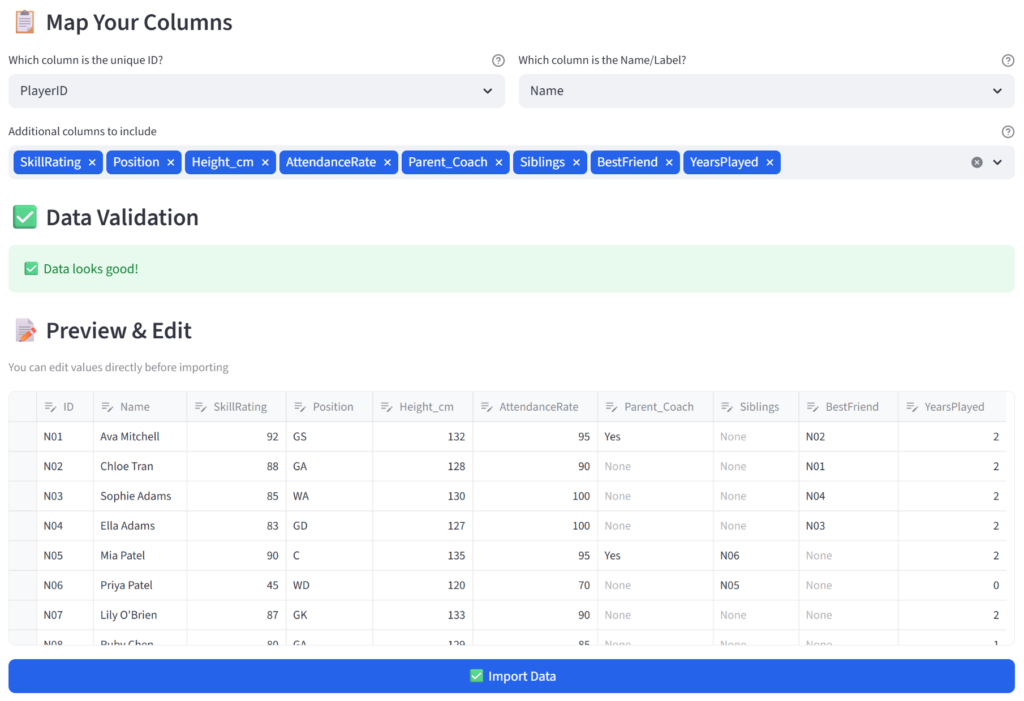
Step 1: Upload your player list
The same spreadsheet you already have. Player names, skill ratings, positions, siblings, friends. CSV or Excel.
Step 2: Set your rules
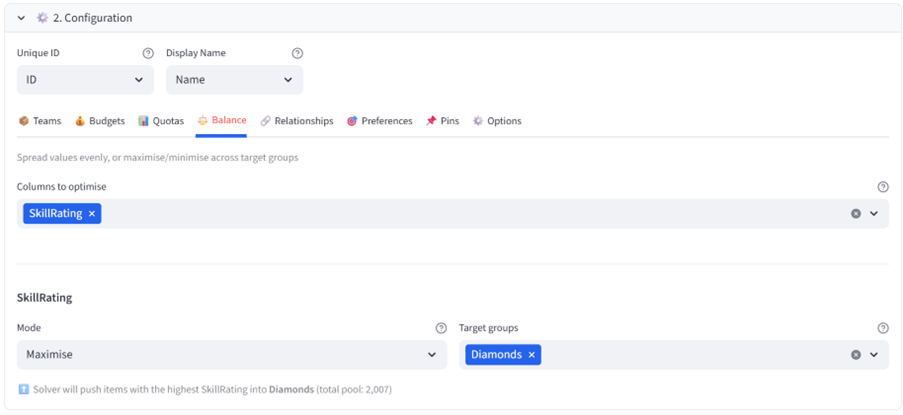
Tell the tool what matters. Skill balance across teams. Top players into Diamonds. Beginners toward Rubies. Siblings together. Goalkeepers in every team. Minutes of clicking — no formulas, no code.
Step 3: Get your teams
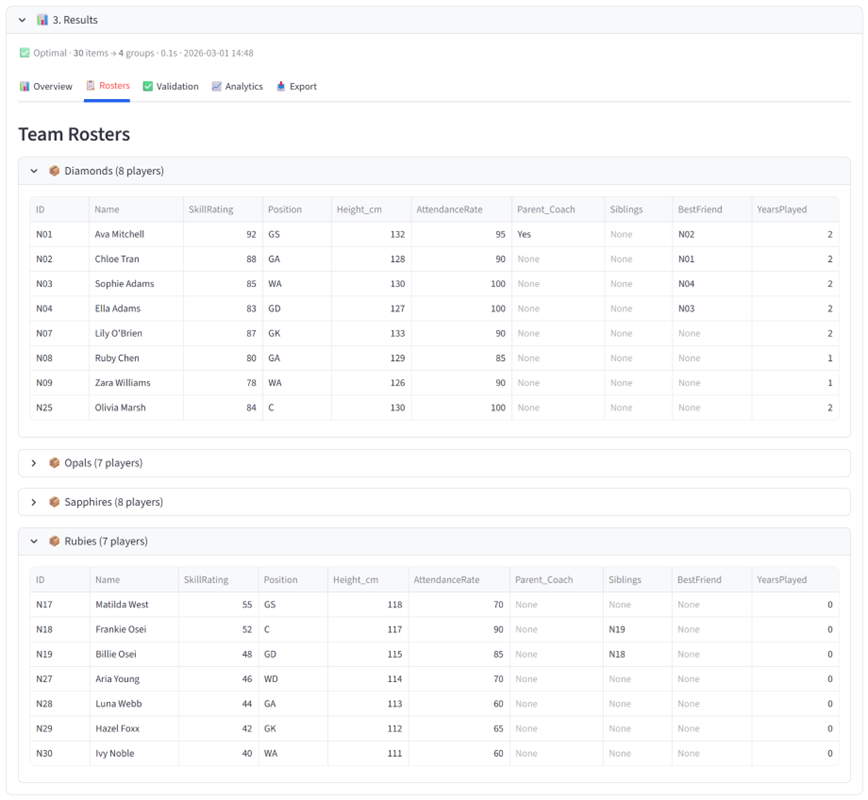
Diamonds has the 7 highest-rated players. Opals and Sapphires are within 5% of each other on total skill. Rubies has the development players. Every sibling pair is together. Every team has a goalkeeper.
Step 4: Prove it’s fair
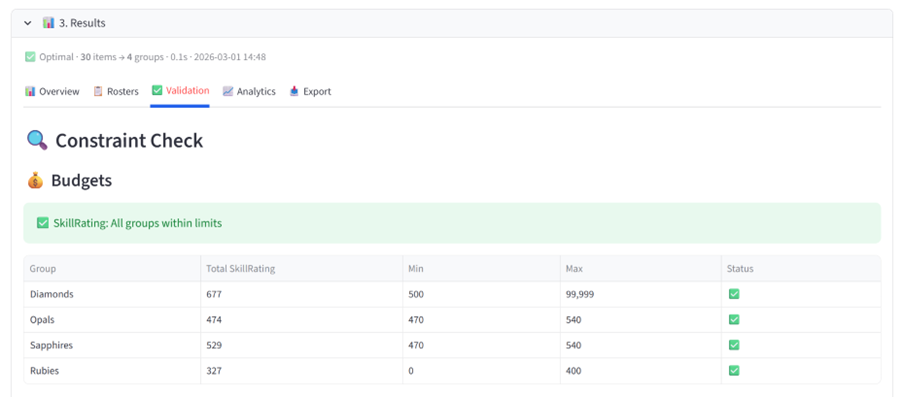
The Validation tab checks every rule you set and shows pass or fail. The Analytics tab lets you explore any column across teams — even ones you didn’t set rules for. Gender split, height distribution, attendance rates. If anyone questions the grading, hand them the exported CSV, Excel file or PDF.
The result
Without Balanced Allocate: Hours across 4 spreadsheets. Two parent complaints. One team suspiciously stronger than the others. The coordinator swears they will never do this again.
With Balanced Allocate: Minutes. 23 constraints satisfied. A full audit trail showing exactly why each player is where they are. The coordinator downloads and sends the PDF to the committee and goes home.
Not just netball
The same tool handles any sport where teams need to be fair:
- Junior football: 120 players across 16 teams, graded by ability with even position coverage
- Representative selection: Pick the best 15 from 60 athletes while meeting regional and age quotas
- Social leagues: Balance cricket or basketball teams so every game is competitive
- Preseason re-grading: Save this season’s rules and reload them next year with new registrations
Try it yourself
Download the Balanced Allocate User Guide with this, plus additional full examples, walkthroughs, constraints and dataset formats. The data used in this example is also available for download below.
Your data stays in your session. Nothing is stored.
Ready to stop grading teams by hand?
Start Free Trial — 14 days free, no credit card.